
Duty and rest
Review FDP, minimum rest, cumulative duty and flight time against planned duties.

CrewCloud · Aviation operations
CrewCloud brings the crew day together: roster imports, report times, sectors, crew messages, qualifications and your personal logbook.

Explore the crew and operations workflows. These previews use illustrative data.
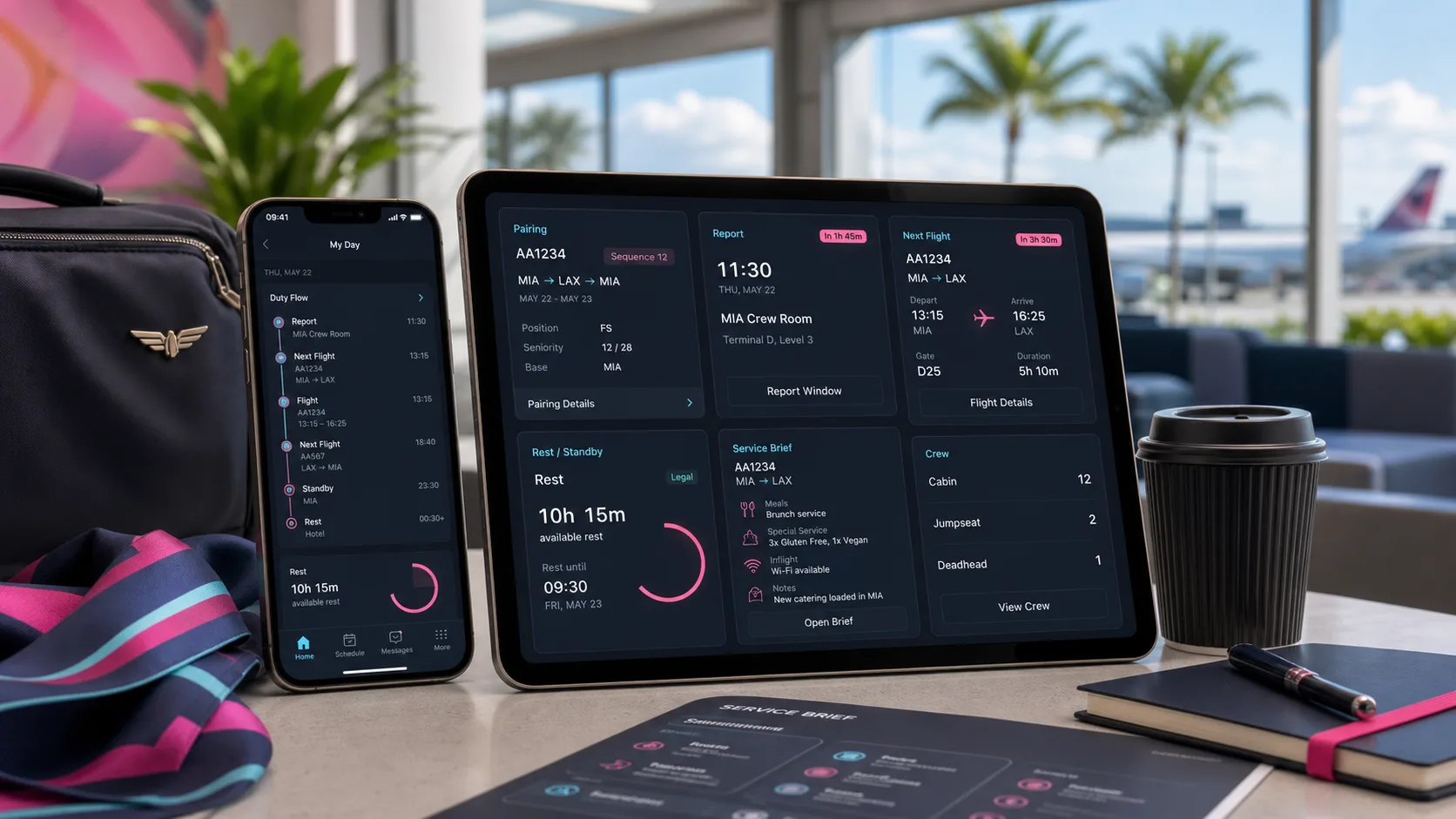
Import a supported roster and review report time, sectors, standby, rest and schedule changes together. Airport, hotel and transport information stay with the duty.
Illustrative product preview
Import historical flights, review detected entries and duplicates, then save. Completed assigned sectors can create matching logbook entries. Export your record as PDF, CSV or JSON.
Illustrative product preview
Flight briefings, gate changes, acknowledgements and crew messages sit in the operational context. You can see what changed without searching across unrelated conversations.
Illustrative product preview
Airline teams can review crew availability, duty legality, qualifications and roster coverage. After a delay or cancellation, see affected duties and look for replacement crew in context.
Illustrative product preview
Bring supported calendar or spreadsheet-style roster files into your personal account. Review the duties before saving.
Check report time, sectors, crew, qualifications and changes before leaving for the airport.
Keep briefings, messages and acknowledgements attached to the flight and duty.
Completed assigned sectors can feed your personal logbook. Review, correct and export your records.
Your account and CCID stay with you when airline access changes. Your personal logbook is separate from an airline’s access to you.
Review FDP, minimum rest, cumulative duty and flight time against planned duties.
Track licences, ratings, medicals and training dates, including current and expiring qualifications.
Pilots, cabin crew, crew control, scheduling, dispatch and training teams work with views relevant to their jobs.
CrewCloud Web is available. Public Mac downloads and the iPhone/iPad App Store release are listed as coming soon.
Yes. Pilots and cabin crew can use personal accounts, import supported rosters and keep a personal logbook without waiting for an airline to join.
CrewCloud can inspect common CSV, spreadsheet and structured PDF logbook files. Review detected flights before adding them to your record.
Your account and CCID stay with you. Removing an airline’s access does not delete your personal account or personal logbook.
Your logbook can be exported as PDF, CSV or JSON, and your roster as an ICS calendar file.
Logbook corrections keep a record of what changed instead of silently replacing earlier entries.
Open CrewCloud in your browser for personal crew and airline work.
Open CrewCloudAirlines are set up through CrewCloud. Administrators then invite staff and connect crew accounts.
Discuss airline setupTell us what you need to build, connect or operate.